Contact Us
Track Sales. Control Stock. Know Your Profit: Every Day.
Running a business without knowing your daily sales or stock levels can lead to losses, stockouts, and poor decisions. The DesignVAT Daily Sales & Inventory Tracking Spreadsheet helps you stay in control by recording every sale, monitoring inventory, and understanding your business performance at a glance..
If you sell physical (tangible) Products, you're a Product Based Business. This includes, though not limited to, Retail & Wholesale Outlets that sell Clothing, Electronics, Equipment, Health & Beauty Products, etc.
Excel Spreadsheet For Recording Daily Sales & Tracking Inventory.
✔ Track daily sales transactions
✔ Monitor stock in and stock out
✔ Know current inventory balance
✔ Identify fast-moving and slow-moving items
✔ Track cost price, selling price, and profit
✔ Reduce losses due to poor record-keeping
Create Product Database: [Product Category | Product Name | Starting Quantity | Selling Price]
Support for over 100 Products
Monitor Inventory Levels:
- Track Incoming Products [Restock]
- Track Outgoing Products [Sales]
- Monitor Inventory Balance [Difference]
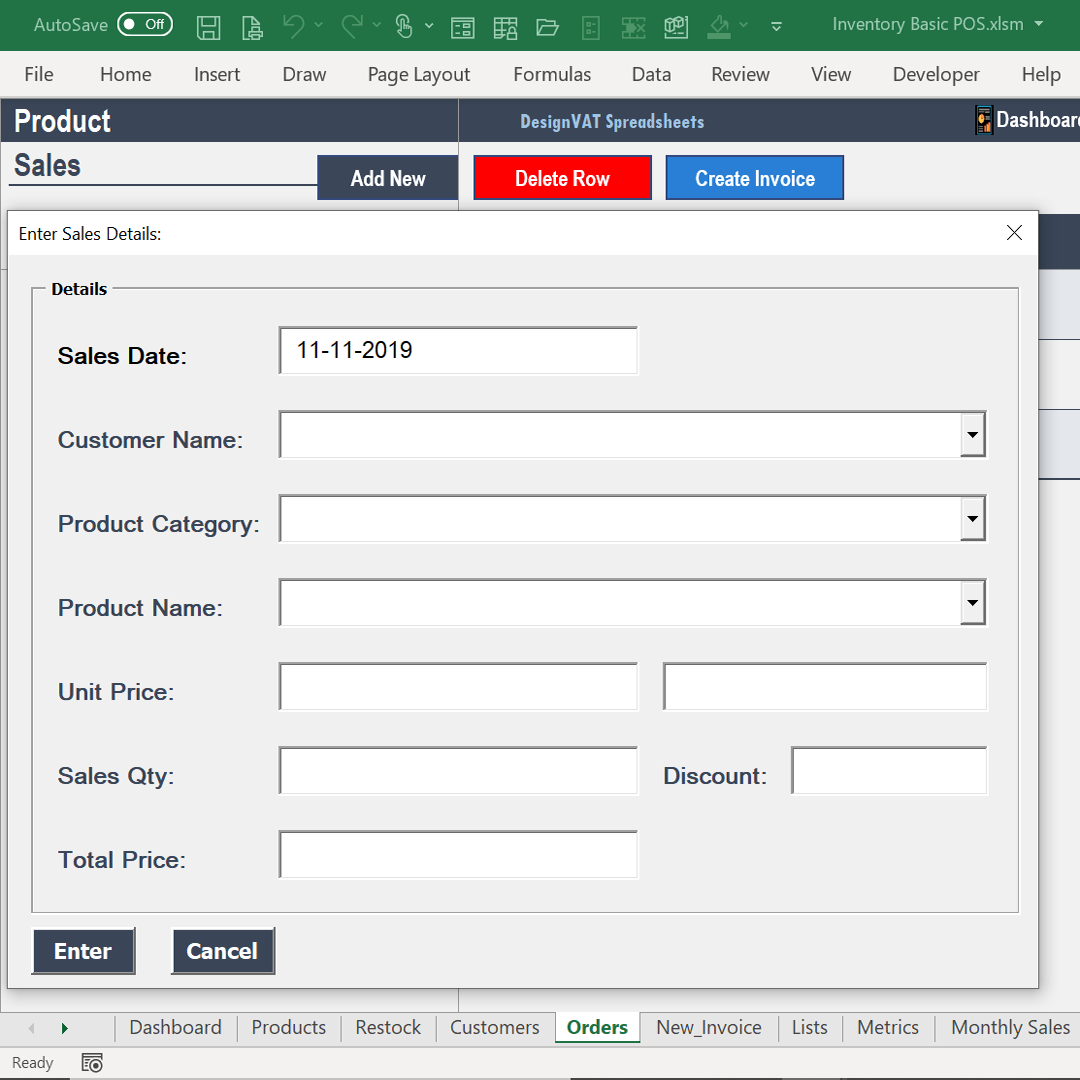
Record Daily Sales
- Track Who bought What, When and How Much
- Create a Daily Sales Log to enter daily transactions
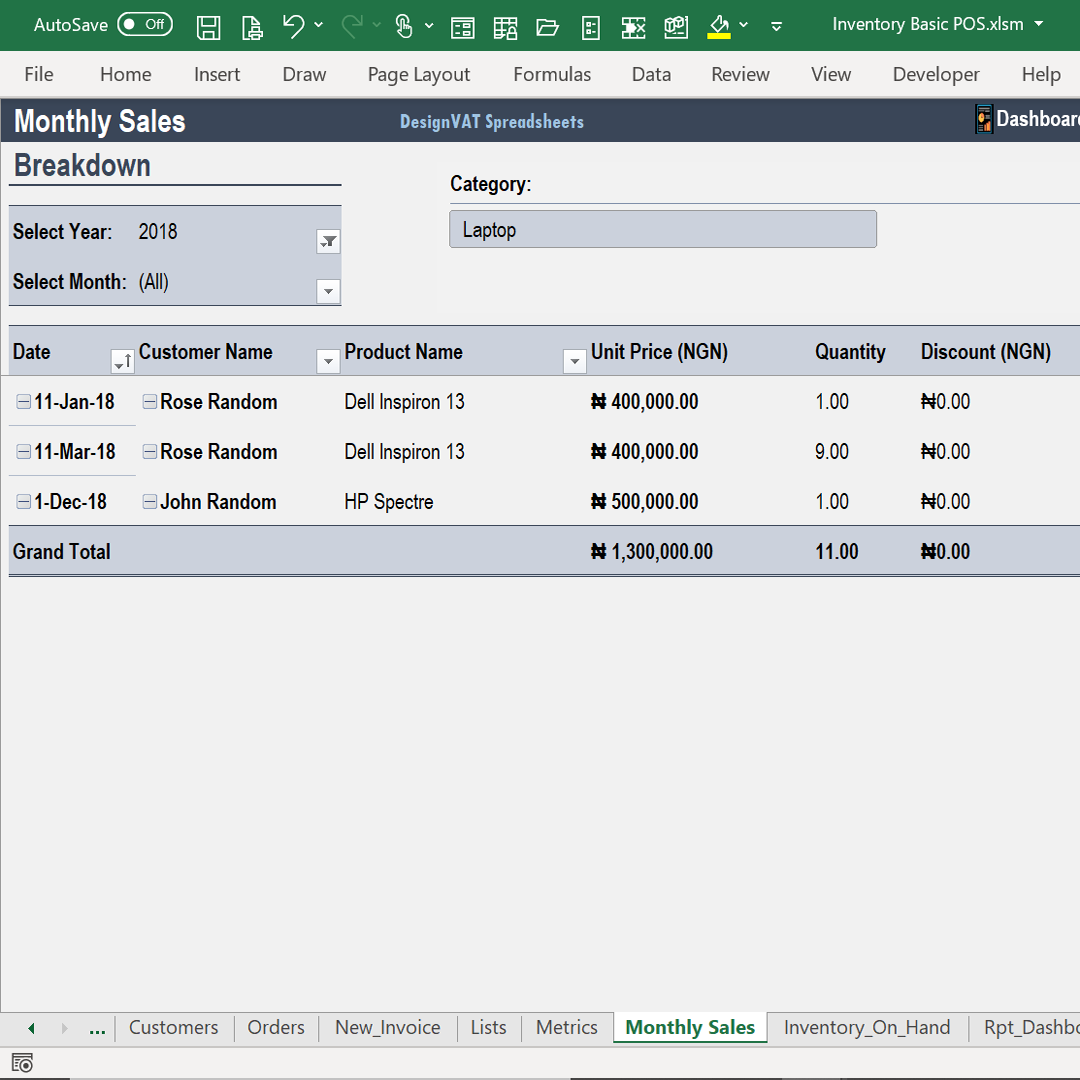
- Filter Daily Sales Log by Month | Quarter | Year | Product Type | Customer
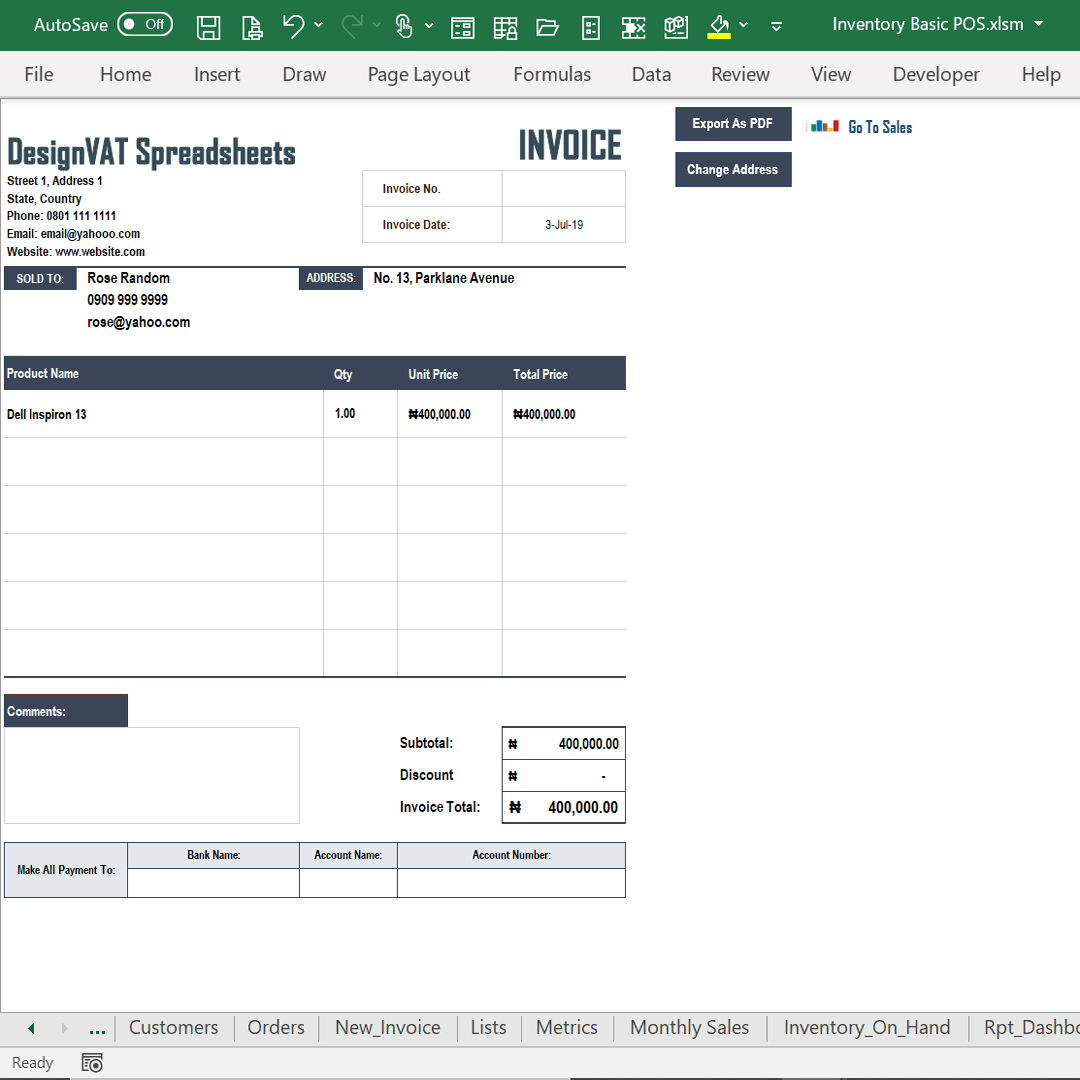
Create Invoices: Can be set to A4 or Letter Size prior to delivery
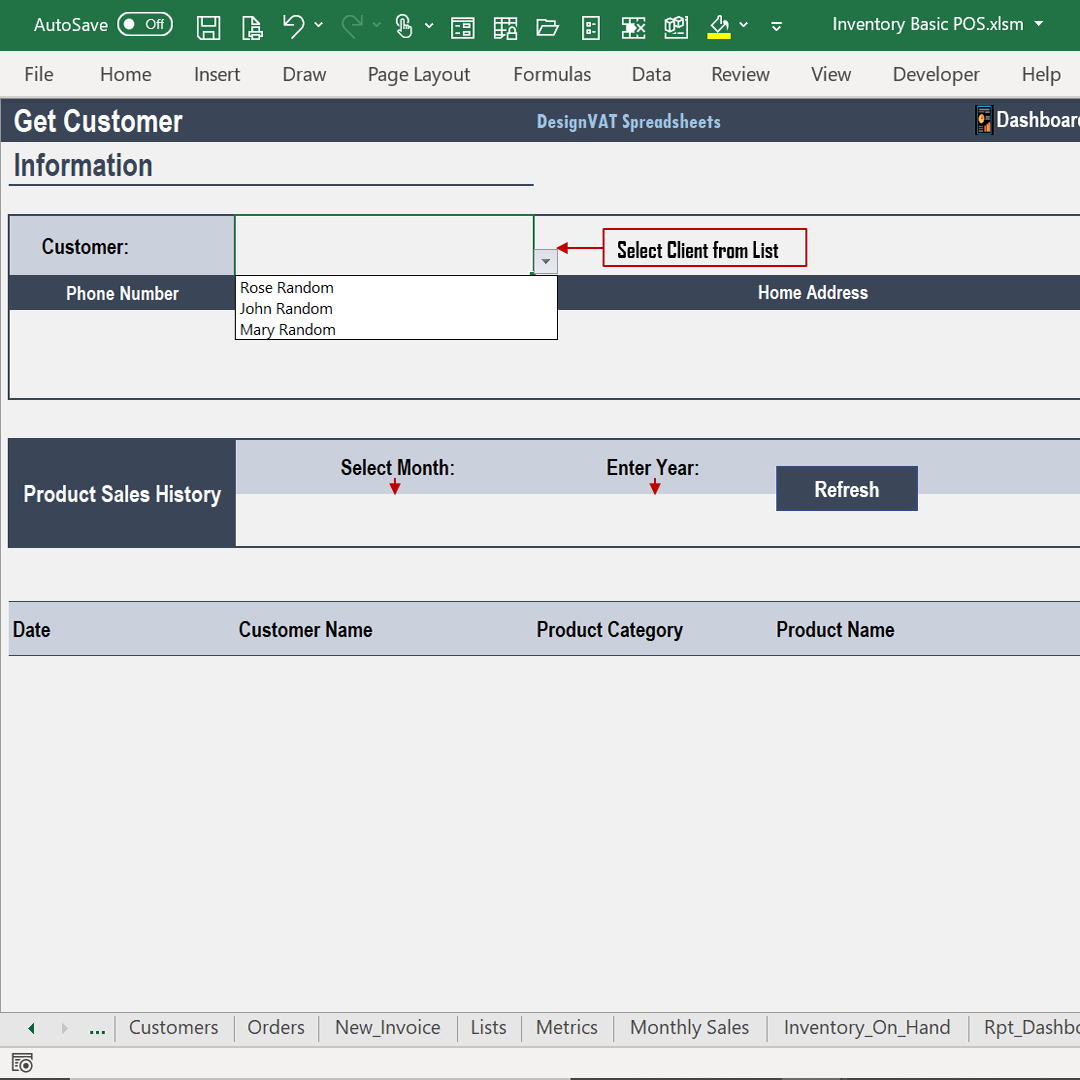
Store Customer Contact Details [Full Name | Phone No | Email | Contact Address]
Link Daily Sales Transactions With Customers
Pull up Customer Transaction History
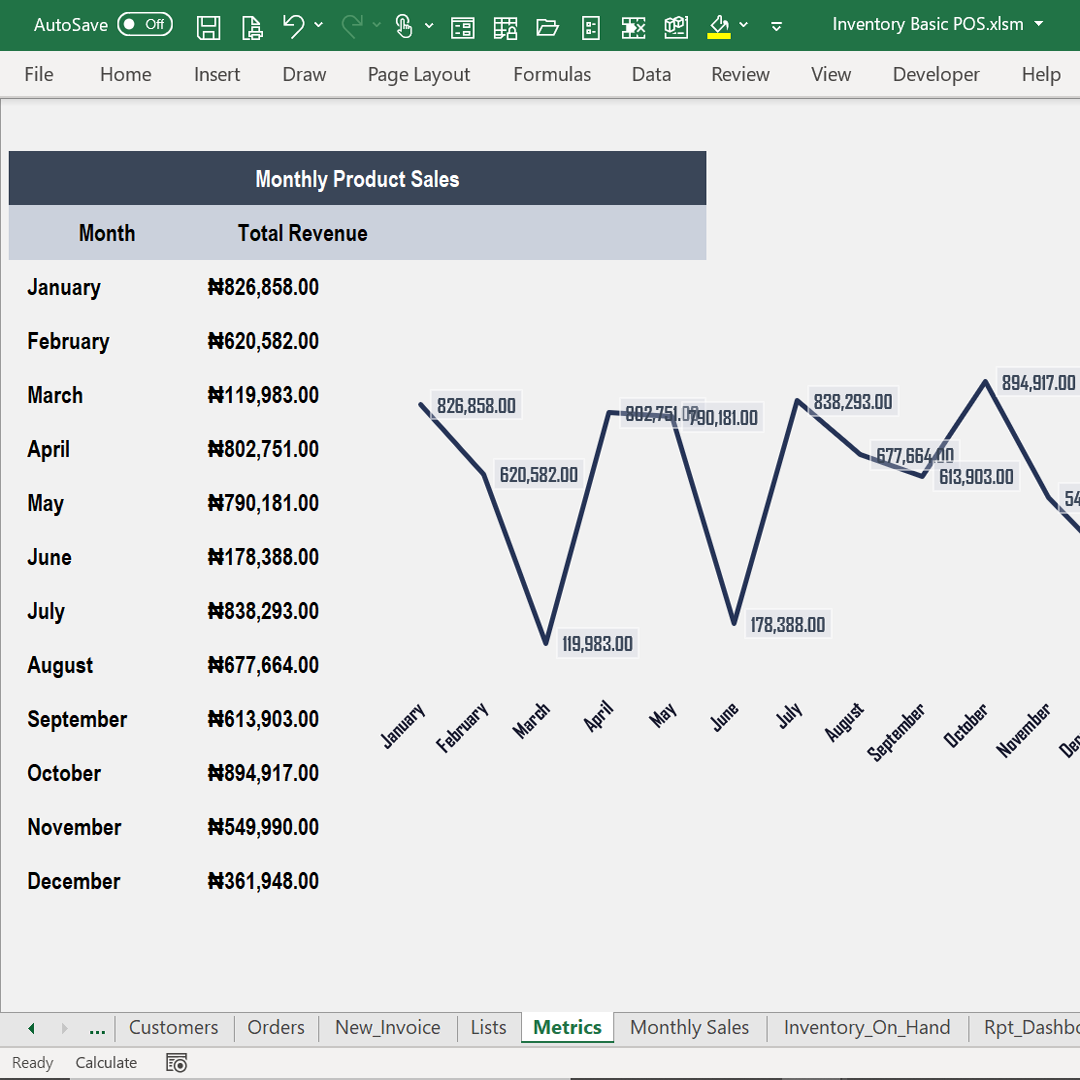
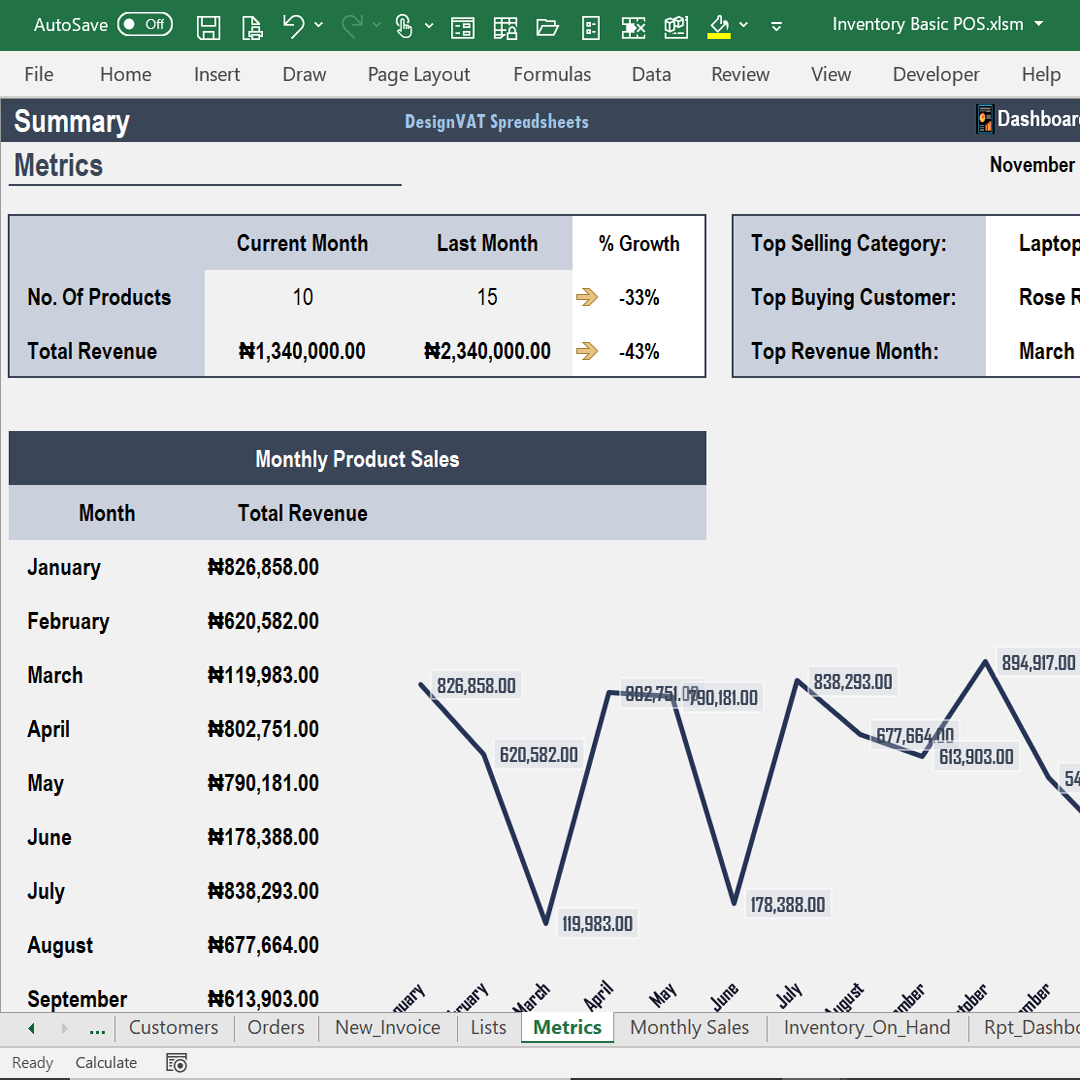
- Track Monthly Income
- Top Selling Products
- Top Buying Customers
- Top Revenue Months
- Current Month vs Last Month Sales Comparison
- View Income Trend: Jan vs Feb vs Mar ... Dec
- View Monthly Totals Side-by-Side
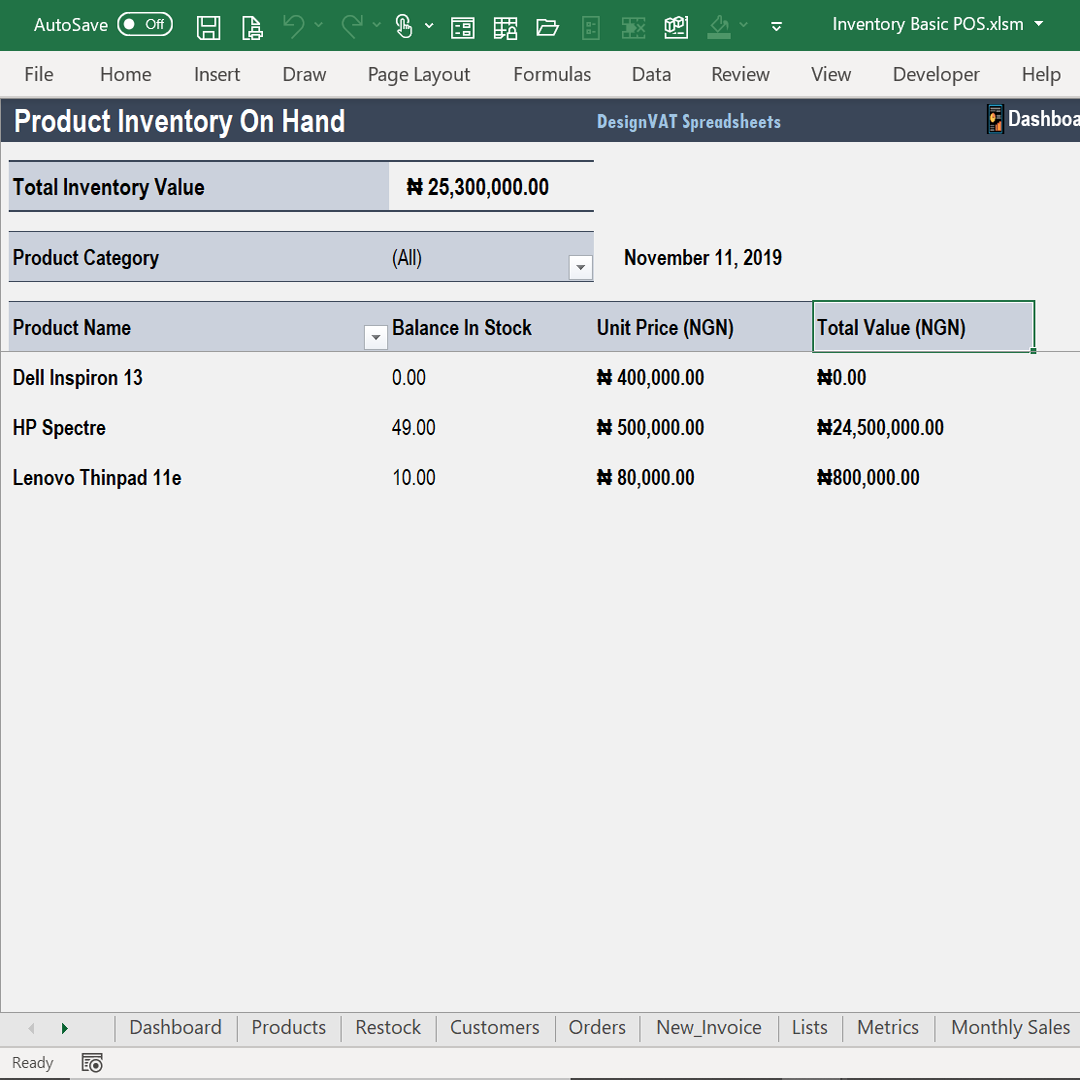
Generate Point In Time Inventory Balance Report
- Know Products with Low Quantities [Reorder Report]
Know Exactly What Comes In, What Goes Out, and What’s Left
One of the most powerful Add-On features of this spreadsheet is the E-Bin Card, a digital version of
the traditional stock bin card used in stores and warehouses.
If you’ve ever struggled to answer questions like:
- How many units did we receive this week?
- How much stock has been issued or sold?
- Why is stock finishing faster than expected?
The E-Bin Card solves that.
An E-Bin Card (Electronic Bin Card) is a digital stock record
that tracks every movement of an item in your inventory.
Contact Us
Many businesses record sales but fail to properly track stock movement.
This leads to:
Stock losses
Theft going unnoticed
Incorrect reordering
Poor inventory decisions
Copyright © DesignVAT Spreadsheets
Distributed by :Themewagon